Built for independent UK garages

One desk.Every job
under control.

Desktop workshop management for bookings, live jobs, approvals, proof packs, invoices and reporting. Keep the garage moving without turning it into an IT project.

7 days free · £0 today · introductory pricing from £12.99/month or £120/year

HoodHero workshop board showing fictional jobs moving through six workshop stages
Quote approved£428.60R551JBU · Front brakes
MOT advisory foundFront brake pads2019 Ford Transit · AB19 XYZ

Built for the UKMOT, registration and VAT context

QuickBooks + Xeroinvoice and payment sync

Desktop web appfull-size workshop workspace

Review-first AImechanic approves every draft

Vehicle & MOT intelligence

From registration lookup to booked job.

Start with verified vehicle details, bring available MOT history into view and turn an advisory or failure into structured workshop work.

  1. 01
    Look up the vehicle

    Use the registration or VIN to confirm the vehicle record.

  2. 02
    Review MOT context

    See available history, advisories and failures alongside the vehicle.

  3. 03
    Start the work

    Create a job from the finding, then continue into parts, quotes and invoices.

Explore vehicle & MOT intelligence
HoodHero job record workspace showing a fictional vehicle and repair context

One connected record

Keep the reason for the job visible.

The vehicle, MOT finding, customer, technician and resulting work stay connected as the job moves through the workshop.

Connect the tools you already use

HoodHero fits into the working garage.

Keep the workshop in one place while payments and accounting stay connected to the systems your business already relies on.

Payments

Stripe Connect

Send secure payment links from HoodHero invoices. Payments go directly to the garage’s connected Stripe account, with status reconciled back to the invoice.

  1. 1Invoice ready
  2. 2Stripe payment link
  3. 3Paid status reconciled
stripe
Accounting

Xero

Connect your UK organisation and send approved invoice records into Xero with customer, tax and payment mappings.

  1. 1Approved invoice
  2. 2Xero connection
  3. 3Accounts record updated
X
Accounting

QuickBooks Online

Send approved workshop invoices to QuickBooks Online with mapped sales, tax and payment accounts.

  1. 1Approved invoice
  2. 2QuickBooks Online
  3. 3Sales and payment mapped
qb
Always available

Accounting CSV export

Export accountant-ready invoice and payment records locally when you prefer to keep your accounting workflow in your own hands.

  1. 1Invoices + payments
  2. 2Accounting CSV
  3. 3Accountant review
CSV

Provider availability depends on account setup and region. Manual payment instructions and CSV export remain available when you do not want a provider connection.

Book to invoice

From “can you fit me in?” to paid and remembered.

Each step builds on the last. No repeated customer details, mystery approvals or proof living on somebody’s phone.

  1. 01

    Book

    Capture the customer, vehicle, complaint, technician and time once.

    Appointment calendar
  2. 02

    Control

    Move every live job through a clear workshop status without chasing updates.

    Workshop board
  3. 03

    Diagnose

    Keep findings, MOT context, OBD reports, notes, parts and guidance on the job.

    Job control page
  4. 04

    Approve

    Turn the work into a branded quote and preserve the approval trail.

    Quotes + customer messages
  5. 05

    Prove

    Collect labelled evidence, completion details and a customer-ready proof pack.

    Photos + PDF records
  6. 06

    Invoice

    Convert approved work, record payment and keep the full history for next time.

    Invoices + accounting export
Workshop job flow
  1. Booked
  2. Checked in
  3. Diagnosing
  4. Awaiting approval
  5. In progress
  6. Ready for handoff
  7. Payment recorded
HoodHero appointments calendar with fictional bookings, technicians and workshop hours

Start with capacity

Book the work around the people who will do it.

Switch between day, week, work-week, month and agenda views, block unavailable time, filter by technician and carry an accepted appointment into the workshop workflow.

The complete Mechanic Desk

Serious workshop control, without enterprise-software sprawl.

Four focused layers cover the day, the customer, the repair and the money. Each one answers a different operational question.

01

Run today

A workshop view that answers “what needs attention?”

Start with the day, not a database. HoodHero surfaces active work, approvals, parts delays, unpaid invoices, MOT advisories and unassigned jobs so the next decision is visible.

  • Flexible appointment views with technician schedules and blocked time
  • Six-stage workshop board with overdue and parts-delay signals
  • Job history, repeat work and service reminders
02

Know the customer

Answer the customer without searching through loose notes.

Review contact details, vehicle ownership, current work, documents, reminders and communication history from the customer workspace.

  • Searchable customer and vehicle records
  • UK registration, VIN and available MOT context
  • Advisory timelines and editable customer-message drafts
03

Do the work

Give the technician the brief, the evidence and the next step.

For example, Jax can turn technician findings into a plain-English customer update. The mechanic edits and approves it before anything is saved or sent.

  • Technician assignment, parts tracking, checklists and internal notes
  • Reviewed AI drafts and searchable vehicle-aware repair guides
  • Mobile field mode, proof capture, signatures and OBD reports
04

Finish professionally

Turn workshop detail into trust and completed work into revenue.

Create a clear customer trail from recommendation to approval, proof, invoice and payment status, then keep the numbers ready for review or export.

  • Branded quote and invoice PDFs with VAT and line items
  • Customer proof packs, payment records and editable requests
  • QuickBooks Online, Xero, reports and accounting CSV export

Built for a full desktop browser

See the whole job without squeezing it into a phone screen.

Wide workspaces keep customer details, workshop actions and commercial context visible together.

HoodHero accepted quote for a fictional customer showing vehicle details, line items and totals

Approval to invoice

Clear customer documents

Build, preview and download branded quotes and invoices, track truthful status changes and convert accepted work without starting again.

HoodHero Proof Packs workspace showing customer handoff, resale and internal job sheet proof pack options

Evidence to handover

Proof customers can understand

Turn selected evidence, repair detail, vehicle context and completion records into a professional proof pack.

HoodHero Workshop Reports showing completed work, quotes, acceptance rate, paid invoices, revenue, open jobs and technician workload

Owner visibility

Reports that lead to an action

See what is late, waiting, unassigned, unpaid or affecting profitability, then open the records behind the number.

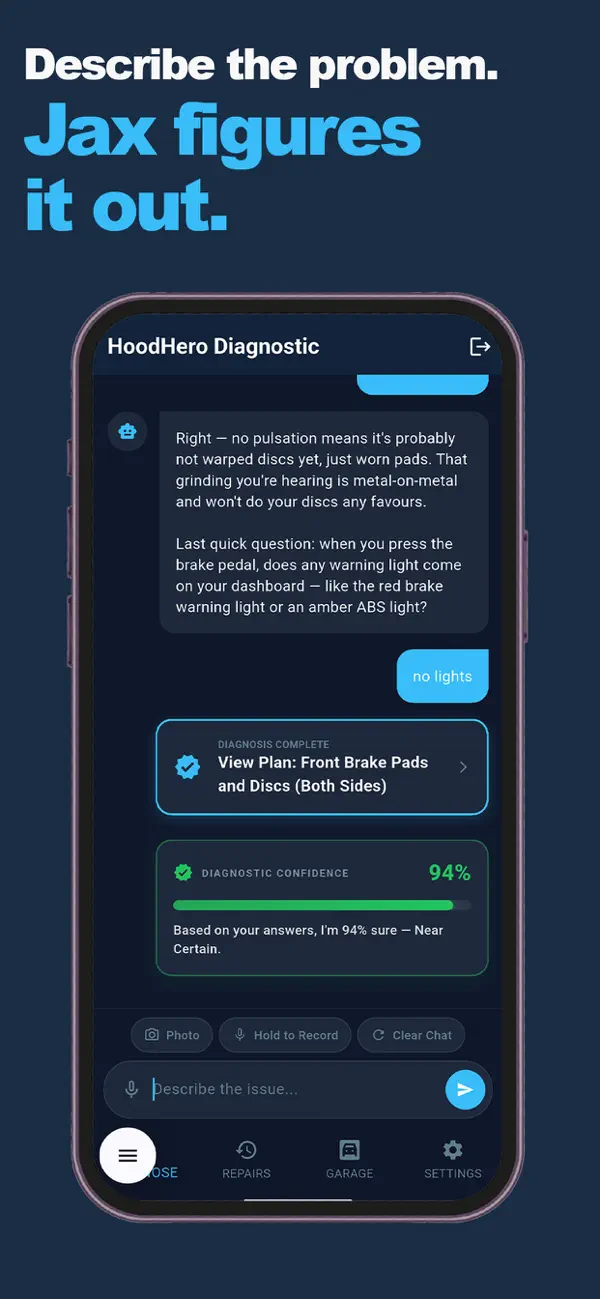
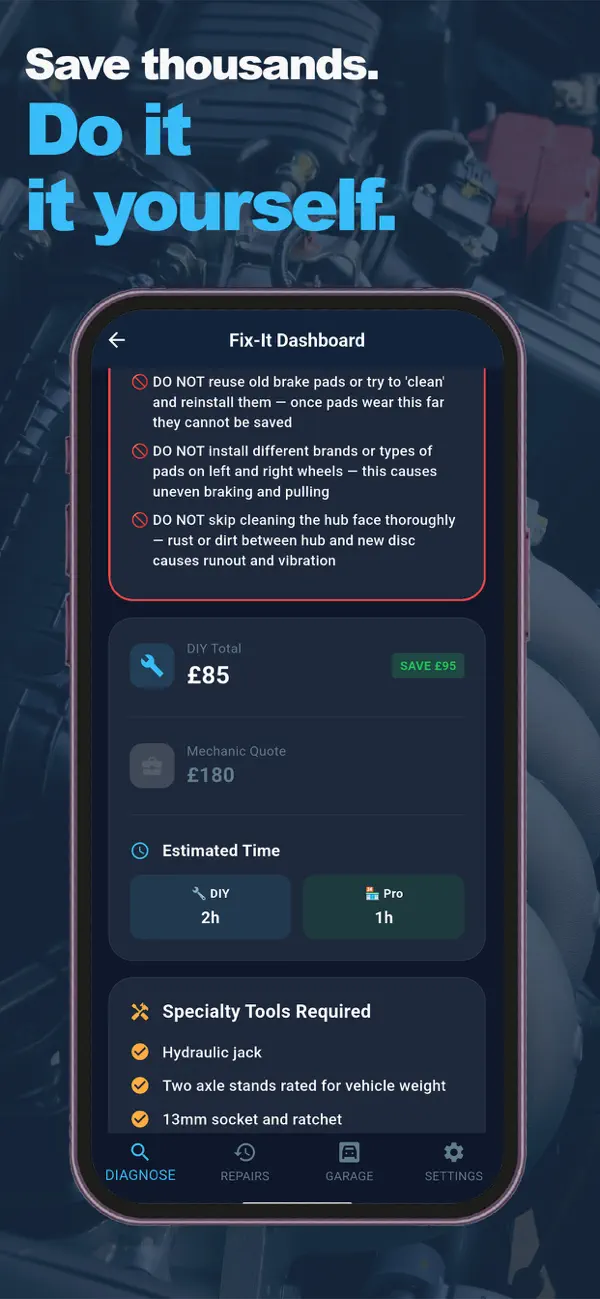
HoodHero mobile app showing a fictional vehicle repair plan and cost estimate

Workshop to driveway

Built for the workshop. Just as useful on the driveway.

Take the same job context into the field: vehicle, findings, quote, approval, repair evidence and payment message stay connected when the work happens away from the desk.

  1. 01
    Callout

    Open the job with the customer and vehicle already in context.

  2. 02
    Findings to approval

    Capture the work, prepare a clear quote and keep the approval visible.

  3. 03
    Repair to proof

    Leave labelled evidence and a cleaner handover before payment and invoicing.

See proof of work in context

Useful intelligence. Visible proof.

The mechanic stays in control of the story.

JAX helps prepare the next communication. Proof Packs show what was found, approved and completed.

JAX reviewed workflow

From technician finding to a customer-ready explanation.

JAX assists with the language and structure. The mechanic reviews, edits and approves the final message before it becomes part of the customer record.

  1. 01
    Technician finding

    Brake pad wear recorded against the vehicle and job.

  2. 02
    JAX draft ready

    A plain-English explanation and suggested next step.

  3. 03
    Mechanic reviews

    The workshop team approves what the customer receives.

Proof of work

Show exactly what was found, approved and done.

Keep the evidence attached to the job, then select the right details for a professional customer handoff without exposing internal notes.

  1. 01
    Finding

    Label the inspection evidence and repair requirement.

  2. 02
    Approval

    Keep the accepted quote and amount in the trail.

  3. 03
    After and handoff

    Share completion evidence and the right proof pack.

Useful to every role

Less asking. Less duplicate admin. Better handovers.

Use the browser for desk control and the mobile workflow when the work moves into the field.

01

Owner-manager

See what is booked, blocked, unpaid or ready without asking three people.

02

Front desk

Answer the customer with the appointment, vehicle, quote and job history in front of you.

03

Technician

Work from the same brief, record findings and leave a proof trail that survives the handover.

04

Mobile mechanic

Carry the job, callout details, evidence, signature and payment message into the field.

Built for the whole workshop

Add unlimited team members. Keep every job moving.

Garage Pro gives your workshop one shared web workspace, with the right view for each person. Invite technicians, service advisors, viewers or managers with their own sign-in and keep the live job record connected.

Explore unlimited team access
01
Owner or manager

Invite the team, choose roles and assign work from the workshop board.

02
Technician

Open My Work, follow assigned jobs and update progress as the repair moves on.

03
One connected record

Customers, vehicles, findings, parts, quotes, proof and invoices stay with the job.

How access works today

One HoodHero account. Web membership. Every workspace.

Create your account and start your free 7-day trial through the website. Your Garage Pro membership covers the browser Mechanic Desk and the HoodHero mobile app.

  1. 1
    Create your HoodHero account online

    Sign up with email, Google or Apple at the Mechanic Desk.

  2. 2
    Choose Garage Pro Monthly or Annual

    Complete secure Stripe checkout through RevenueCat.

  3. 3
    Open the Mechanic Desk

    Return to the browser and start managing your workshop.

Start your free trial

Straight answers

Know the boundaries before you move the first job.

HoodHero is deliberately honest about provider connections and what it does not replace.

Read every FAQ
Is HoodHero a full accounting or payroll system?

No. The Mechanic Desk manages operational job records, quotes, invoices, payment status and accounting exports. It does not replace bookkeeping, tax, payroll or statutory accounting software.

Can HoodHero charge a customer directly?

Yes. When Stripe Connect is linked, the Mechanic Desk can send a secure payment link from an invoice. The customer pays through Stripe, funds go to the garage’s connected Stripe account and payment status is reconciled back to the invoice. Manual payment records remain available too.

Who can use the web app?

Create a HoodHero account on the website, choose a Garage Pro plan and start your 7-day free trial through secure Stripe checkout. Your paid membership begins after the trial, and the same membership also unlocks the mobile app.

Can I add technicians and other team members?

Yes. Garage Pro currently includes unlimited team members in the web workspace. Invite each person with their own HoodHero sign-in, choose a role and assign jobs so technicians can focus on their work while owners and managers keep control of the wider workshop.

Do you offer a free trial?

Yes. Garage Pro starts with a 7-day free trial before the paid subscription begins. Sign up on the website, choose Monthly or Annual, and use the full Mechanic Desk and mobile experience during the trial.

Do I have to learn everything before I start?

No. Set up the workshop profile, add one customer and book one job. The dashboard shows the next actions. The public web-app guide walks through the complete workflow.

Bring the next job into focus

Run a calmer day. Leave a better record. Look more professional.

Already an eligible member? Your HoodHero Mechanic Desk is ready in the browser.